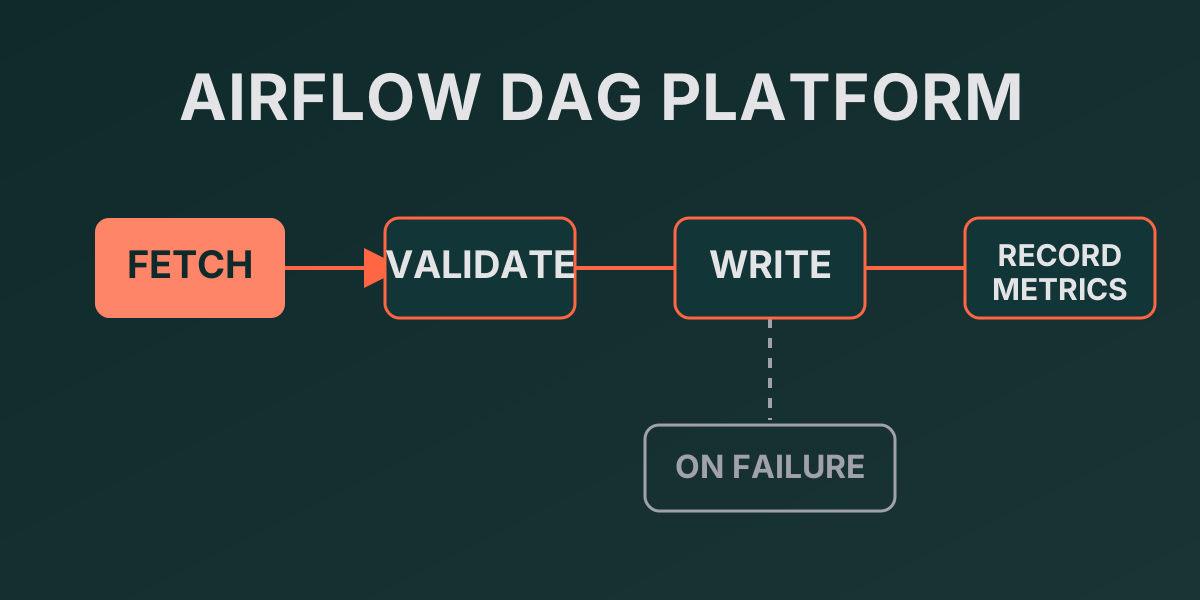
Airflow DAG Platform
▶ Data-flow diagram — self-contained HTML, opens in a browser — no install, no build
Situation
A hand-run sales report — a SQL client, then a copy of the aggregate into Google Sheets — produced delays, copy errors and no reproducibility. A missed or failed run went unnoticed, and a new report had to be built from scratch.
Task
I needed to replace the manual export with a reproducible, idempotent pipeline: data reaches the sink on schedule without hand-holding, failures are visible immediately, and a new report is added from a shared template instead of from zero.
Actions
DAGs
| DAG | Schedule | What it does | Sink |
|---|---|---|---|
daily_sales_report |
@daily |
Daily sales aggregate (sale_date, product_id, revenue, orders) |
Google Sheets (or a CSV fallback) |
weekly_sales_summary |
@weekly |
Weekly summary by category (category, revenue, orders) |
CSV (Sheets optional) |
Each DAG follows the fetch → validate → write → record_metrics template on Airflow 3 SDK @task decorators. The window is the half-open interval [logical_date − N, logical_date); catchup=False, with backfill as an explicit command.
Reusable modules
dags/shared/
  config.py    # config from Airflow Variables, no hardcoding
  dq.py        # DQ validation before writing
  alerts.py    # alert format and failure callback
  metrics.py   # observability: writes to dag_metrics
  output.py    # CSV writer (dev fallback), idempotent rewrite
  windows.py   # daily/weekly windows keyed on logical_date
Stack and run
uv sync
uv run pytest                                 # tests without an Airflow runtime
uv run python scripts/generate_sales_data.py --days 7 --rows-per-day 10000
export AIRFLOW_HOME=$(pwd) && uv run airflow standalone   # UI :8080, admin/admin
uv run python scripts/metrics_report.py --days 7
CI gates
uv run ruff check .          # lint: E,W,F,I,B,C4,UP
uv run ruff format --check .
uv run mypy                  # dags/, scripts/, tests/
uv run pytest                # 64 tests, hooks mocked
Result
The platform drives two reports to their sink on schedule, each a versioned DAG of its own. Quality rests on four CI gates: ruff check, ruff format --check, mypy and pytest all pass across 64 tests that need neither Airflow services nor a live database (hooks are mocked). Configuration is fully externalised into Airflow Variables under the AIRFLOW_CFG_ prefix, and the dev mode output="file" runs without any external API.
Limitations
The data source is synthetic (scripts/generate_sales_data.py), so the platform is verified on demo data, not on a production stream. Google Sheets as a sink needs a real service account; without it only the CSV fallback remains. This is a portfolio project: Airflow’s behaviour under heavy load at large volumes was not measured.
Documentation
Frequently asked
Why is a report a DAG and not a script?
A DAG gives versioning, scheduling, retries and run metrics out of the box; a manual SQL client → copy into Sheets leaves none of those traces.
What does the DQ validation check?
The result header, non-negative revenue and orders, and an empty result set as a distinct NoDataError — all before the data reaches the sink.
How is observability wired?
Every successful run writes a row to dag_metrics (status, duration_s, rows_written, logical_date); failures land in on_failure_callback. scripts/metrics_report.py aggregates success rate and p95.
Does it run without external APIs?
Yes: in dev mode AIRFLOW_CFG_sales_report_output=file writes CSV to data/out/, and Google Sheets needs a real service account.
How is a new report added?
On the shared-module reuse template: a new DAG is assembled from the same config, dq, alerts, metrics and windows, with no logic copied.